
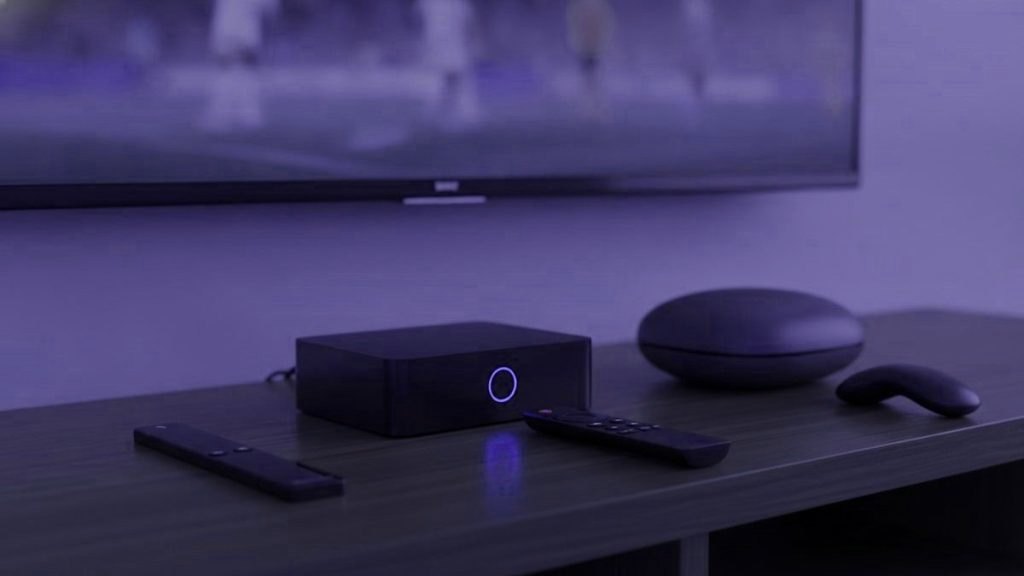
Walk into living rooms across Europe and the same handful of devices keeps turning up beside the television: an Amazon Fire TV Stick behind the set, a Google TV device, an Apple TV in the homes that use iPhones, an Nvidia Shield wherever someone cares about picture quality, and Formuler or MAG boxes in households that have watched international television for years. Any of them can run IPTV well. The right one depends less on specifications than on who is holding the remote, how the television connects to the internet, and what you already own.
Look at what is already under the television
Your operator’s decoder, probably not
If your television arrives through a box supplied by your broadband or pay-TV company, such as a Sky Q or Sky Stream device, a Virgin Media box, a Freebox or Livebox in France, or a MagentaTV receiver in Germany, it is designed to run that operator’s service. Most do not let you install third-party player apps. A few operator boxes are built on Android TV and include an app store, but what you can install is often restricted. Check before assuming, but plan on using something else.
The television itself, quite possibly
A smart TV from the last several years may need nothing added. Google TV and Android TV sets, and Panasonic’s Fire TV models, run the widest range of players. Samsung and LG sets run a narrower range, which varies by country. Our guide to players by television brand explains how to check. The honest advice is to try the TV on its own first, using the free trial, before buying any device.
An old console or computer
A laptop connected by HDMI works for occasional viewing. Games consoles have limited IPTV player choice and are not a good everyday solution.
What matters in a European living room
Most device reviews are written for American homes. A few things matter more here.
- 50 Hz output. European channels are broadcast at 25 or 50 frames per second. A device that switches its output to match, rather than forcing 60 Hz, makes football and camera pans visibly smoother. The Android-based devices and the Apple TV below can match frame rates, though the setting is not always on by default, so look for it on day one.
- An Ethernet port or adapter. Thick walls, older buildings and routers in hallway cupboards are common across Europe. A wired connection solves more streaming problems than any upgrade in processing power.
- A remote your household will use. Number keys and a guide button matter to people who grew up with broadcast television.
- Local purchase. Buying from a seller in your own market gives you the right plug, a compatible power supply and straightforward consumer protection. In the EU that includes a legal guarantee of at least two years on goods bought from a business.
- Updates. A device from a major brand gets security updates for years. A cheap unbranded box may never get one.
Six devices, one at a time
Amazon Fire TV Stick 4K Max
Who it suits: almost everyone who needs to add something to a television, and the first choice for second rooms.
The current 4K Max stick is small, inexpensive for what it does, and runs Fire OS, Amazon’s Android-based system. That means it runs the main IPTV players, including TiviMate and IPTV Smarters Pro. It supports Wi-Fi 6E, which helps if your router supports it, and has no Ethernet port built in, although Amazon sells an adapter. The interface puts Amazon’s own content first, which some people find cluttered.
One thing to check: Amazon has started releasing some Fire TV devices on a different operating system, Vega OS, which does not run Android apps from outside Amazon’s store. Make sure the model you buy runs Fire OS if you want the full choice of players. Setup is in our Fire TV Stick guide.
Google TV Streamer
Who it suits: households that prefer Google’s interface or already use Android phones, and anyone who wants a wired connection without an adapter.
Google’s current streaming box replaced the Chromecast with Google TV in 2024. It sits flat under the television rather than hanging from the HDMI port, has an Ethernet port built in, and runs Google TV with access to Google Play, so TiviMate, IPTV Smarters Pro and other players install directly from the store. Frame-rate matching is in the display settings. The Android TV and Google TV guide applies to it.
Nvidia Shield TV Pro
Who it suits: the main television in a home where picture quality matters, or anyone who also uses Kodi or Plex heavily.
The Shield TV Pro dates from 2019 but remains a favourite with enthusiasts because it is fast, has gigabit Ethernet and two USB ports, and offers AI upscaling that improves HD channels on a 4K screen. It runs Android TV and every major player. The downsides are its age and its price compared with a stick. For most people, a Fire TV Stick or Google TV Streamer does the IPTV job just as well. The same Android TV guide covers it.
Formuler boxes
Who it suits: people who want IPTV to feel like traditional television, especially those who watch channels from several countries.
Formuler boxes are Android-based devices built specifically for IPTV. They come with the MyTVOnline app, which accepts portal, Xtream Codes and M3U logins and presents channels with a guide and remote designed for live TV: number keys, a guide button and quick switching between recent channels. Formuler has several models at different price points, and the line-up changes, so compare current models before buying. See our MAG and Formuler guide.
MAG boxes
Who it suits: households that value simplicity above all, and viewers who have used one before.
Infomir’s MAG boxes have been a fixture in European homes that watch international television for many years. They typically connect to a provider’s portal using the box’s MAC address, so there is no app to install and no password to type: the provider links your subscription to the box. Once set up, the experience is close to a cable decoder. The trade-off is flexibility, since MAG boxes are designed around portal logins and do not offer the range of player apps an Android device does. Euroskara supports MAG portal logins; the MAG and Formuler guide explains setup.
Apple TV 4K
Who it suits: homes already using iPhones, iPads and Macs, and viewers who care about smooth, accurate pictures.
The current Apple TV 4K is fast, gets long-term software support and has the best “match content” settings of any device here: switch on Match Frame Rate and Match Dynamic Range under Video and Audio, and European channels display as broadcast. Only the higher-storage model has an Ethernet port, which is worth knowing if your TV is far from the router. The main limitation is player choice. TiviMate is not available on Apple devices, and IPTV players on the App Store vary by country and are often paid. Our Apple guide lists what we suggest.
The six side by side
| Device | System | Wired connection | Player choice | Best for |
|---|---|---|---|---|
| Fire TV Stick 4K Max | Fire OS (Android-based) | Via adapter | Wide | Most TVs, second rooms |
| Google TV Streamer | Google TV | Built in | Wide | Google households, wired setups |
| Nvidia Shield TV Pro | Android TV | Built in, gigabit | Wide | Main TV, enthusiasts |
| Formuler | Android with MyTVOnline | Built in | Wide | Traditional TV feel, several countries |
| MAG | Portal-based | Built in | Built-in portal | Simplicity, older viewers |
| Apple TV 4K | tvOS | Higher-storage model only | Narrower | Apple homes, picture accuracy |
Matching a device to a home
These are illustrative situations rather than customer stories.
A flat in Paris with a Freebox. The operator’s box stays for French channels and broadband. A Fire TV Stick or Google TV Streamer on a second HDMI input adds IPTV, and the TV remote switches between them. No need to cancel anything to try it.
A grandmother in Edinburgh who wants her channels and nothing else. A MAG or Formuler box with a remote that has number keys, set up once by a family member, with her favourite channels at the top of the list. Everything else hidden.
A holiday home on the Costa del Sol. A Fire TV Stick that travels in a suitcase between the main home and the holiday flat, since the subscription is not tied to an address. Check the holiday flat’s connection first, particularly if it relies on a mobile router with a data cap.
A home cinema in Stockholm. An Nvidia Shield TV Pro or Apple TV 4K on Ethernet, with frame-rate matching on, feeding a large 4K screen. This is where the extra money makes a visible difference.
A family in Rotterdam with a recent Google TV set. Nothing to buy. Install a player on the television, try the trial, and decide later whether a separate device is worth it.
Boxes to leave in the shop
- “Fully loaded” boxes sold with channels or add-ons preinstalled. The Court of Justice of the European Union ruled in 2017, in the Filmspeler case, that selling such devices can infringe copyright, and sellers across Europe have faced legal action. Our guide to IPTV law in the UK and EU has the detail.
- Unbranded Android boxes with impressive specifications at very low prices. Many run old versions of Android, never receive security updates and lack the certification needed for Google Play.
- Imported devices without a local warranty, a compatible plug or support for your region’s app store.
Keeping whichever device you choose running well
Streaming sticks and boxes slow down in predictable ways, and a few habits keep them responsive for years.
- Leave some storage free. Sticks with limited storage get sluggish when nearly full. Uninstall apps you have stopped using.
- Clear the player’s cache occasionally rather than deleting the app, which would also delete your settings and favourites.
- Restart it once a week or so. Most devices never truly switch off, and a restart clears memory problems that build up.
- Install system updates when offered, for security as much as for features.
- Keep it out of a closed cabinet if it runs warm; overheating causes stutters that look like buffering.
Before spending anything
Request a free 24-hour trial and try it on the television you already have, on a busy evening. If the picture is smooth, you may need nothing. If it stutters, try a wired connection before blaming the device: Wi-Fi is a far more common cause of problems than processing power. If your television cannot run a suitable player at all, a Fire TV Stick or Google TV Streamer is a modest, reliable fix, and a Formuler or MAG box is worth considering for anyone who wants television that behaves like television. Every device mentioned here has a step-by-step guide in our setup section.
Questions on this topic
Do I need a box for IPTV at all?
Often not. A Google TV, Android TV or recent Fire TV television runs the main players directly, and Samsung and LG sets run a narrower range. Try the free trial on the television you already own before buying anything.
Which device suits most European homes?
A Fire TV Stick 4K Max or a Google TV Streamer. Both run the popular players, cost relatively little and are easy to set up. The Google TV Streamer has Ethernet built in; the Fire TV Stick needs an adapter for a wired connection.
Can I install IPTV apps on my Sky, Virgin Media or Freebox box?
Generally not. Operator boxes are built to run the operator's own service, and most do not allow third-party player apps. Add a streaming stick to a spare HDMI input instead.
Are MAG and Formuler boxes still worth buying?
For people who want IPTV to behave like traditional television, yes. MAG boxes log in through a portal linked to their MAC address, and Formuler boxes run the MyTVOnline app. Both come with remotes designed for live channels, with number keys and a guide button.
Is a fully loaded Android box a good idea?
No. Boxes sold with channels or add-ons preinstalled carry legal risk: in the 2017 Filmspeler judgment, the EU's highest court held that selling such devices can infringe copyright. Unbranded boxes also tend to miss security updates.
Does the Apple TV 4K work well for IPTV in Europe?
Its picture handling is excellent, particularly with Match Frame Rate and Match Dynamic Range turned on. The limitation is player choice: TiviMate is not available, and App Store players vary by country and are often paid. Only the higher-storage model has an Ethernet port.
Every European country group, 25,000+ channels in all
Priced in euros and ordered in one WhatsApp chat, usually live in under 15 minutes. You have 7 days to ask for a refund.
Read next
How to Watch Dutch & Belgian TV Abroad in 2026
Quick answer: Euroskara carries both Dutch and Flemish channels — NPO and RTL Nederland from the Netherlands, VRT and VTM from Belgium…
12 October 2026How to Watch Polish TV Abroad in 2026
Quick answer: Euroskara carries the main Polish channels — TVP, Polsat and TVN among them — so you can watch them from…
12 October 2026How to Watch Portuguese TV Abroad in 2026
Quick answer: Euroskara carries the big Portuguese channels — RTP, SIC and TVI — so you can follow the news, the novelas…